
Download MakeBlog AI – Efficient AI Blogging Tool, Free, Secure, Updated
Overview
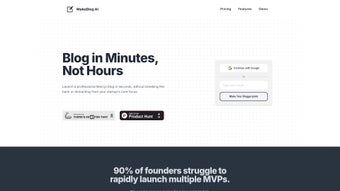
MakeBlog AI is a web‑based AI writing assistant built specifically for bloggers, digital marketers, and startups that need to churn out high‑quality content at speed. Powered by the latest large‑language‑model technology, the platform eliminates the repetitive steps of topic research, outline creation, and first‑draft writing. Instead, users simply enter a keyword or a brief brief, and MakeBlog AI instantly generates a complete article, complete with headings, sub‑headings, and SEO‑friendly meta data.
What sets this tool apart is its seamless integration with a ready‑to‑run Next.js blog scaffold. After a one‑click install, you receive a fully functional blog, professional templates, and a content management interface that feels as intuitive as any modern SaaS dashboard. The service supports up to four simultaneous article generations, making it ideal for teams that need to publish multiple posts per day without sacrificing quality.
Lifetime updates guarantee that the AI models and the underlying Next.js stack stay current, removing the headache of manual upgrades. While the platform currently caps the number of active projects and lacks multi‑language support, its focus on rapid English‑language content creation makes it a powerful ally for anyone looking to accelerate growth, boost SEO rankings, and free up valuable time for strategy rather than typing. Whether you’re a solo entrepreneur, a content agency, or a tech‑savvy startup, MakeBlog AI offers a complete, secure, and cost‑effective solution for modern blogging.
Key Features
- AI‑Generated Articles: Instantly create up to four full‑length posts at once, complete with SEO‑optimized headings and meta descriptions.
- Next.js Blog Boilerplate: One‑click deployment of a production‑ready blog built on the latest Next.js framework.
- Professional Templates: Choose from a library of responsive, mobile‑first designs that can be customized without code.
- Topic & Outline Generator: Input a seed keyword and receive a list of blog topics, detailed outlines, and suggested sub‑headings.
- In‑App Editing Tools: Edit AI drafts directly in the dashboard with real‑time preview, spell‑check, and tone adjustments.
- Lifetime Updates: Ongoing improvements to the AI model, security patches, and Next.js version upgrades at no extra cost.
- Analytics‑Ready Integration: Built‑in support for Google Analytics, SEO plugins, and sitemap generation.
- Secure Cloud Hosting: All content is stored on encrypted servers with regular backups.
- Collaboration Features: Invite team members, assign roles, and track revision history for each post.
- Export Options: Export articles in Markdown, HTML, or PDF for external publishing platforms.
Installation & Usage Instructions
Getting started with MakeBlog AI is straightforward, even for users with limited technical background. First, visit the official website and click the “Get Started Free” button. You’ll be prompted to create an account using an email address or a single‑sign‑on (SSO) option such as Google.
After confirming your email, you’ll land on the dashboard where the “Create New Blog” wizard appears. Choose the “Next.js Boilerplate” option, name your blog, and select a domain sub‑path (e.g., myblog.makeblog.ai). The platform automatically provisions a cloud instance, installs Node.js, pulls the latest Next.js template, and configures a PostgreSQL database for content storage.
This whole process usually finishes within two minutes.
Once the boilerplate is ready, you can start generating content. Click the “New Article” button, type a primary keyword or phrase, and let the AI propose three to five topic ideas. Select the one that best matches your strategy, then click “Generate Outline.” The AI creates a logical hierarchy of headings, sub‑headings, and bullet points.
With the outline approved, press “Write Article,” and the system will produce a draft of approximately 1,200‑1,500 words in under a minute. The draft appears in the built‑in editor, where you can refine tone, add images, or rearrange sections. When you’re satisfied, click “Publish,” and the article is instantly live on your Next.js site, complete with SEO tags and a clean URL slug.
For teams, the “Projects” tab allows you to create separate workspaces, assign members, and set publishing permissions. The platform also offers a “Schedule” feature, enabling you to queue articles for future release. All actions are logged, and you can revert to any previous version via the “Revision History” panel. If you encounter any hiccups, the Help Center provides step‑by‑step guides, and a live chat widget connects you to support agents within minutes. Overall, the installation and daily workflow are designed to minimize friction, letting you focus on strategy and audience growth rather than server management.
Compatibility & System Requirements
MakeBlog AI is a cloud‑native service, which means you don’t need to install heavy software on your local machine. The web application runs in any modern browser that supports HTML5, CSS3, and JavaScript ES6—such as Google Chrome, Mozilla Firefox, Microsoft Edge, and Safari. For optimal performance, we recommend using the latest stable version of Chrome or Edge, as they provide the best support for the real‑time AI rendering engine.
Since the platform relies on a Next.js front‑end, the generated blog can be hosted on any environment that supports Node.js 18 or later. This includes popular cloud providers like Vercel, Netlify, AWS Amplify, and Heroku. If you decide to self‑host, ensure your server meets the following minimum specifications: 2 vCPU, 4 GB RAM, and 20 GB SSD storage. A stable internet connection with at least 10 Mbps download speed is advisable for smooth AI interactions and fast content rendering.
Mobile users can also manage their blogs on the go. The responsive dashboard adapts to iOS Safari and Android Chrome, allowing you to generate outlines, edit drafts, and schedule posts directly from a smartphone or tablet. However, the full publishing workflow is best experienced on a desktop or laptop to take advantage of larger screen real estate and keyboard shortcuts.
Security is baked into the platform: all data transfers occur over HTTPS with TLS 1.3 encryption, and your content is stored in encrypted databases. For enterprises that require stricter compliance, MakeBlog AI offers optional SSO integration with SAML and OAuth 2.0, as well as GDPR‑compatible data handling practices. In short, whether you’re a solo creator on a MacBook, a marketing team on Windows workstations, or a startup deploying on Linux servers, MakeBlog AI fits seamlessly into your existing tech stack.
Pros, Cons, FAQ & Conclusion
Pros
- Rapid AI‑generated content reduces writing time by up to 80%.
- Ready‑to‑use Next.js blog eliminates the need for custom development.
- Lifetime updates keep the AI model and framework current without extra cost.
- Intuitive dashboard works on desktop and mobile browsers.
- Built‑in SEO tools and analytics integration improve discoverability.
Cons
- Project limit restricts the number of simultaneous blogs (upgrade required for unlimited).
- No multi‑language generation; currently English‑only.
- Advanced customization of the Next.js theme may require basic coding knowledge.
- Free tier caps the number of AI‑generated articles per month.
- Export formats limited to Markdown, HTML, and PDF.
Frequently Asked Questions
Can I use MakeBlog AI on a Windows PC?
Yes. The web dashboard runs in any modern browser on Windows, macOS, Linux, iOS, or Android. No OS‑specific installation is required.
Is there a free version of MakeBlog AI?
MakeBlog AI offers a free tier that allows you to generate up to 5 articles per month and create a single blog project. Paid plans unlock unlimited articles, multiple projects, and priority support.
How secure is my content on MakeBlog AI?
All data is encrypted in transit via HTTPS/TLS 1.3 and at rest on encrypted storage. Regular backups and compliance with GDPR ensure your content remains safe.
Can I customize the Next.js theme?
Yes. The boilerplate includes editable CSS/SCSS files and a component‑based structure. Basic HTML/CSS knowledge is enough for most visual tweaks; deeper changes may require JavaScript/React familiarity.
Do I need to update the software manually?
No. Lifetime updates are delivered automatically to the cloud service and to the Next.js template, so you always have the latest features without manual effort.
Conclusion & Call to Action
MakeBlog AI bridges the gap between AI‑driven content creation and a fully functional, production‑ready blog platform. By bundling a powerful language model with a ready‑made Next.js scaffold, it eliminates the two biggest pain points for modern bloggers: writing at scale and technical deployment. While the current limitations around project caps and language support may steer power users toward higher‑tier plans, the free tier still delivers enough value for freelancers and small startups to test the workflow without financial risk. The lifetime update promise, built‑in SEO tools, and secure cloud hosting make it a future‑proof investment for anyone serious about growing an online presence.
If you’re looking to save hours each week, improve your SEO rankings, and publish professional articles without learning to code, download MakeBlog AI today. Click the button below to start your free trial, and experience how AI can transform your blogging strategy in minutes.
Overall Rating: 4.5 / 5
MakeBlog AI offers an impressive blend of AI writing speed and a ready‑to‑launch blog framework. The only drawbacks are the project limit on the free tier and lack of multilingual support, but the value delivered far outweighs these minor inconveniences.



.png)



